 Support Center
<- Back to Main Page
Tags: install
Client Letter
📚 What This Guide Covers
This article explains how to add a Client Letter to your tax return in SureFire, providing a professional summary for your clients.
📊 Step-by-Step Guide
Step 1: Open the Form List
The Client Letter is added just like any other tax form.
While working within a return, navigate to the Form menu and select Add Forms/Display Forms List.
Step 2: Search for the Letter
Use the search function to quickly locate the form.
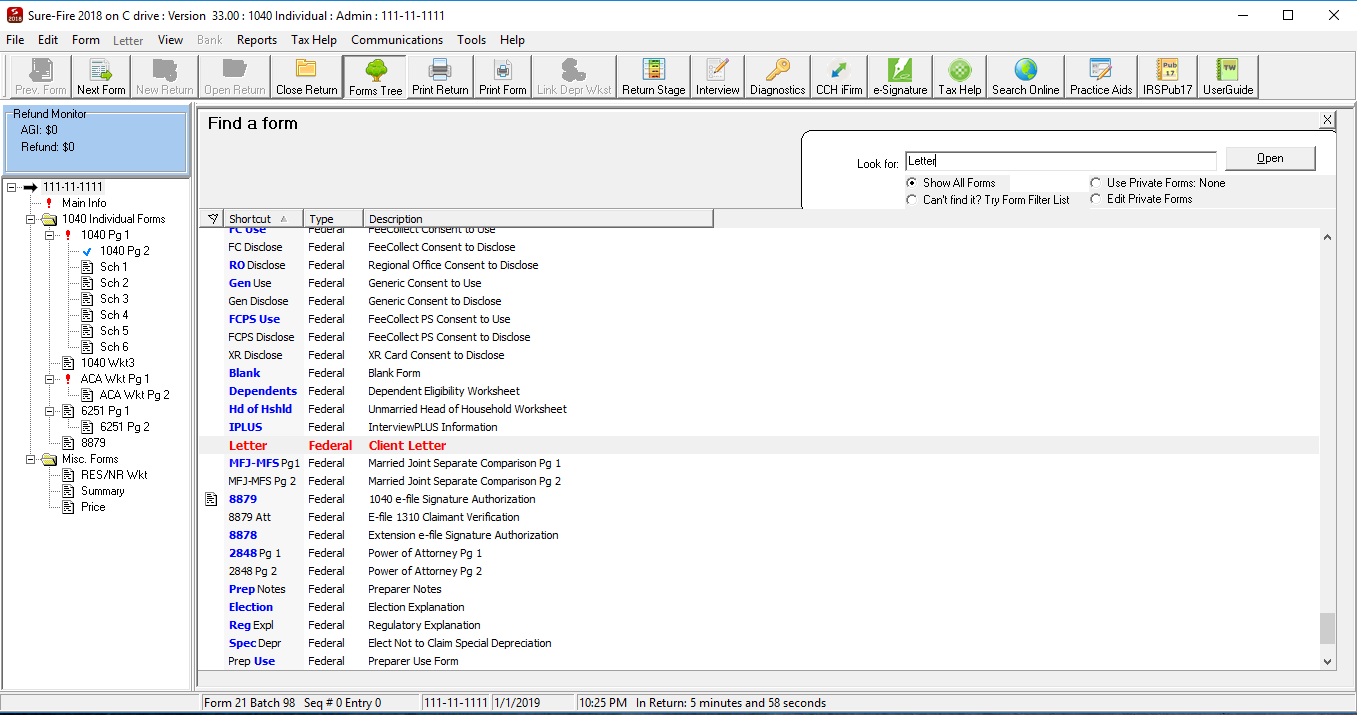
In the Find A Form search box, type the word Letter. This will filter the list to show all available letter templates.
Step 3: Add to Return
Insert the form into your current client file.
Double-click the highlighted Client Letter form in the list to add it to your return.
📞 Still Need Help?
If you need help customizing your client letters, contact our support team:
Phone: 1-800-516-9442
Tags: install