 Support Center
<- Back to Main Page
Tags: install
How do I print proof of submitting a return?
🖨️ How to Print Proof of Return Submission
Print a proof document showing that you submitted a return to the IRS. This is useful for your records and client documentation.
📋 Steps to Print Proof
Step 1: Open the Return
Access the return you want to document.
- In SureFire, open the tax return
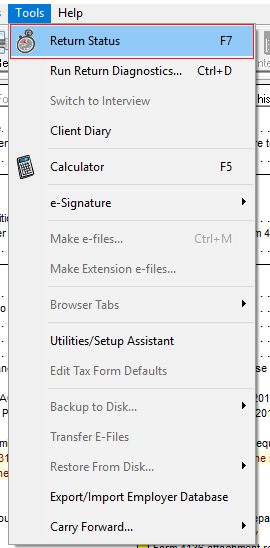
Step 2: Access Return Status
Navigate to the return status section.
- Click Tools menu
- Click Return Status
Step 3: Print
Print the proof document.
- Click Print
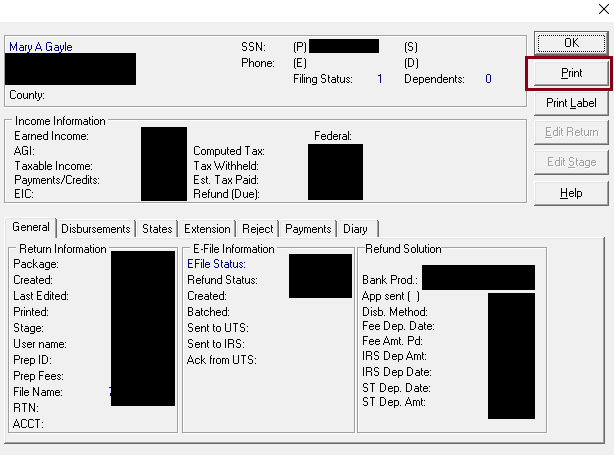
- Choose your printer
- Click OK to print
✅ What You'll Get
The printed document shows:
- Return submission date and time
- Confirmation of filing status
- E-file acceptance information
Tags: install