 Support Center
Filling out a Sch. C
🔍 Filling out a Sch. C
This guide shows you how to:
- Follow the steps below - Filling out a Sch. C
⚠️ Before You Begin
You will need access to your Sure-Fire tax software and the return you are working on.
📊 Step-by-Step Guide
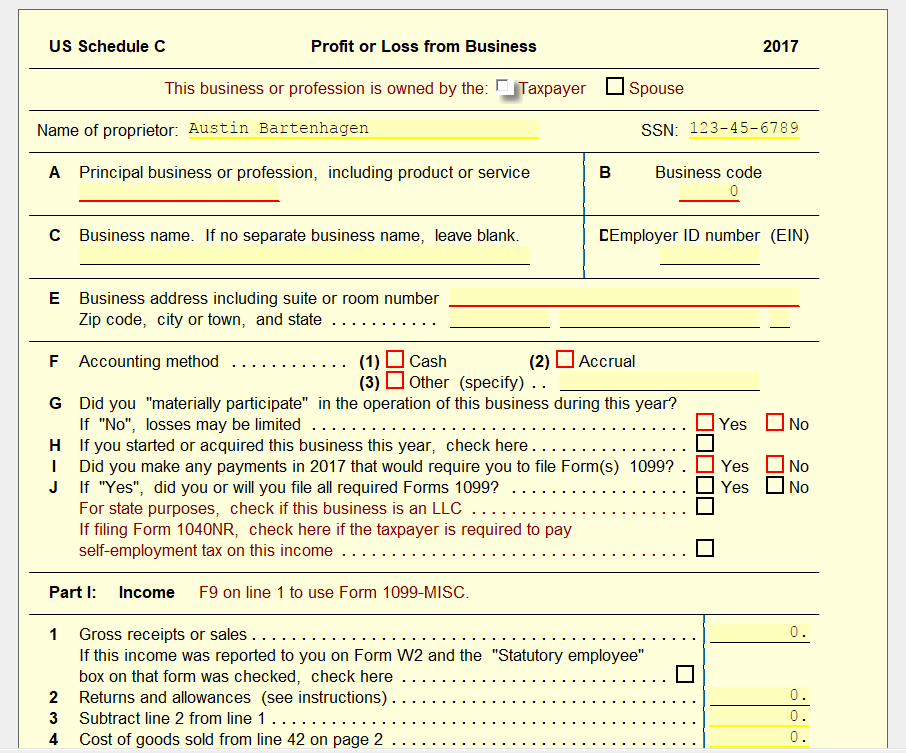
Adding a Sch. C to the return can be done by selecting Link on line 12 of the 1040 form.
Commonly with a Sch. C, the taxpayer may have a 1099 MISC form to report Non-employee Compensation. This can be done by Linking to 1099 MISC from Line 1 of the Sch. C. You will be able to enter all the information that shows on your taxpayer’s 1099.
Below the Income section, you will also notice the options to list expenses that may have occurred with the business, along with Depreciations on line 13.
Over on Pg. 2, you will also see locations for Costs of Goods Sold, along with Vehicle Information, and Other Expenses. If needing more line for expenses than what’s provided, just link to the Other Expenses Worksheet to one of the Other Expenses lines.
❌ Common Errors
If something doesn’t show up or looks incorrect, double-check that you linked the right statement lines and try again.
📞 Still Need Help?
If you are having trouble, contact our support team:
Phone: 1-800-516-9442
Tags: federal,form