 Support Center
<- Back to Main Page
Tags: federal,form,diagnostic
“1120 Page 5, the Schedule M-1 Requires a Statement†Diagnostics Error
🔍 What This Guide Covers
What to do when diagnostics for an 1120 return prompts the Schedule M-1 write-in statement Diagnostic Error.
📊 Step-by-Step Guide
Go to Form 1120C.
Select Pg. 5.
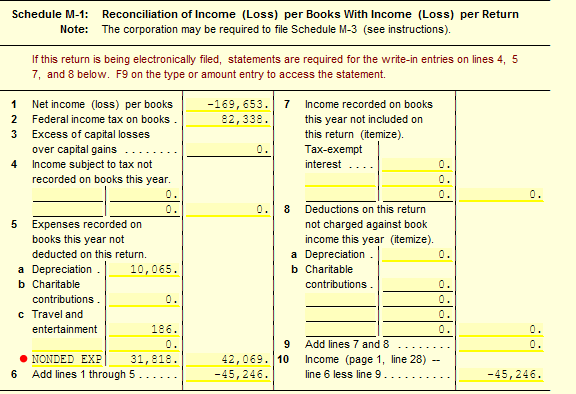
Right-click on either Line(s) 4, 5, 7 or 8 entry field(s) that has an amount and select Link.
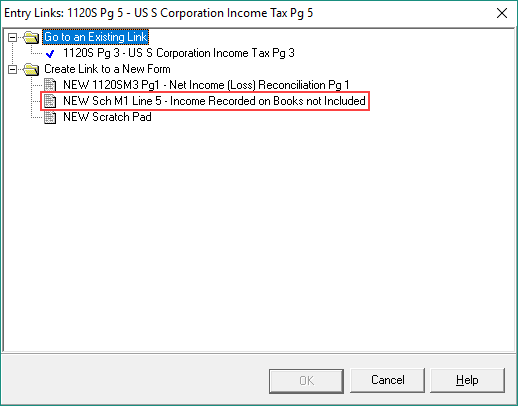
Click on the statement form under Create Link to New Form for that particular line. (Example: New Sch M1 Line 5 – Expenses Recorded on Books not Deducted)
Enter the associated Type and Amount in the provided entry fields. This will clear and move the entries on Pg.
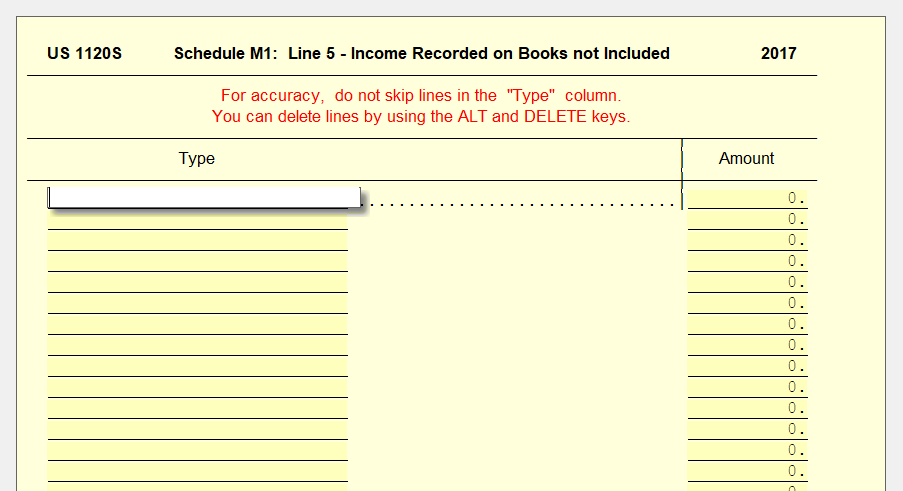
After entering this information, you should not be prompted with the same Diagnostic Error when you run diagnostics again.
📞 Still Need Help?
If you are having trouble, contact our support team:
Phone: 1-800-516-9442
Tags: federal,form,diagnostic