 Support Center
<- Back to Main Page
Tags: install
E-file prior year returns
🔍 Title Here
E-file prior year returns — make sure you’re using the latest software version before filing.
📊 Step-by-Step Guide
Step 1: Check for program updates
Click on the communications tab at the top of your screen.
- Clicking on communications tab at the top or your screen
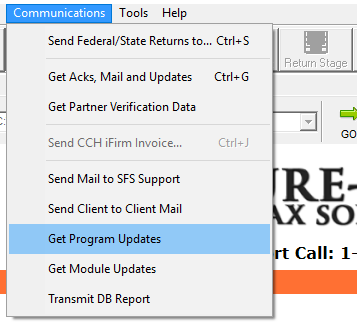
- Clicking the get program updates button
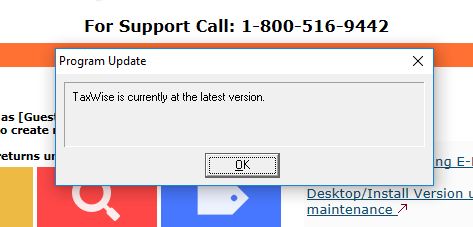
Step 2: Update (if prompted)
Software will either ask to download the latest version or tell you it’s up to date.
Step 3: E-file your prior year returns
Once you’re updated you’ll be able to e-file prior year returns.
📞 Still Need Help?
If you are having trouble, contact our support team:
Phone: 1-800-516-9442
Tags: install