 Support Center
<- Back to Main Page
Tags: install
Padlock on E-files When Transmitting
🔍 Padlock on E-files When Transmitting
Learn what the padlock icon means when transmitting e-files in SureFire.
📊 Step-by-Step Guide
You will see this icon most often when sending a return that include both the Federal and the State return. There are a lot of states that require that the Federal return be in Accepted status before the State return is allowed to be e-filed. This is signified by the padlock symbol in the Send Returns window.
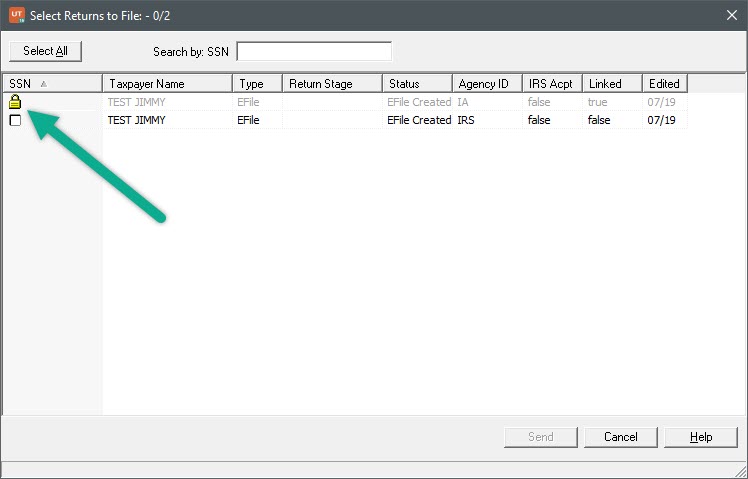
When you receive the Accepted acknowledgment from the IRS for your Federal return, the padlock symbol will disappear, and the State return will be sendable.
📞 Still Need Help?
If you are having trouble, contact our support team:
Phone: 1-800-516-9442
Tags: install