 Support Center
How to list more Transactions on 8949
📚 What This Guide Covers
This guide explains how to add more than 14 transactions of the same type to Form 8949 by duplicating and correctly numbering additional pages.
📊 Step-by-Step Guide
Step 1: Duplicate Form 8949
Each page of Form 8949 can accommodate 14 transactions. If you have more, you must create a copy.
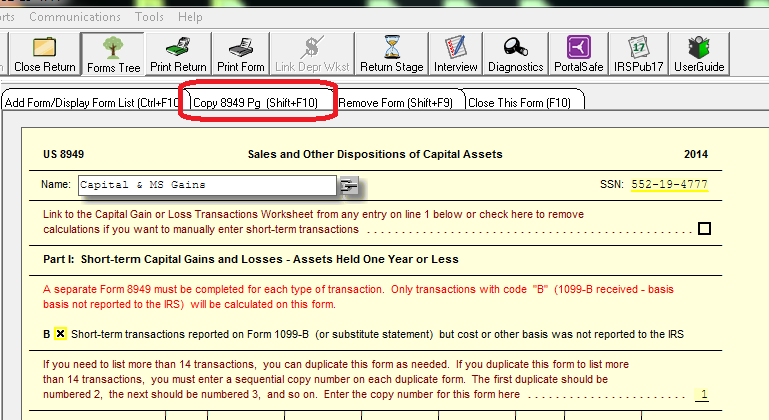
Open Form 8949. At the top of the form, click the Copy 8949 Pg button to generate a new, blank page for your additional transactions.
Step 2: Number the Pages
Sequential numbering is required for the IRS to correctly process multiple pages.
Once you have duplicated the form, you must assign sequential numbers to each copy:
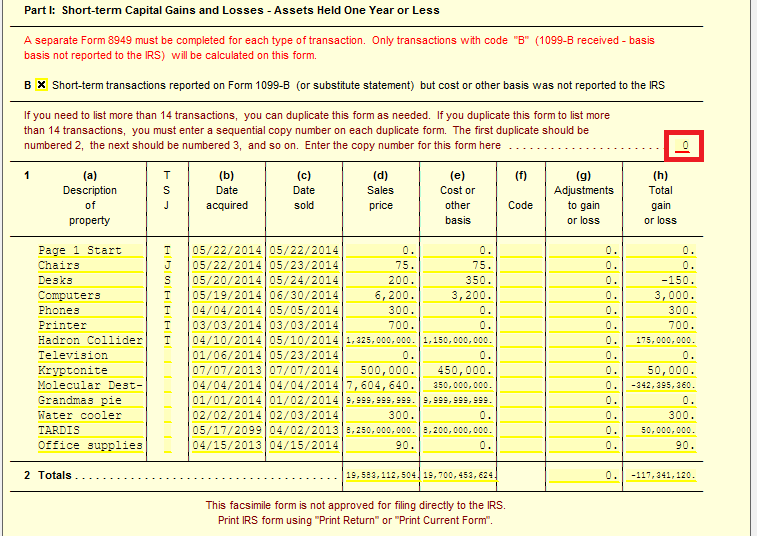
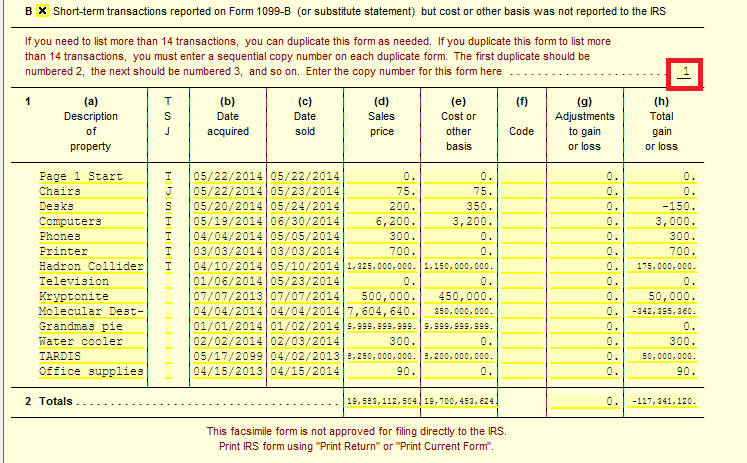
- Go to the first (parent) form. Change the copy number from 0 to 1.
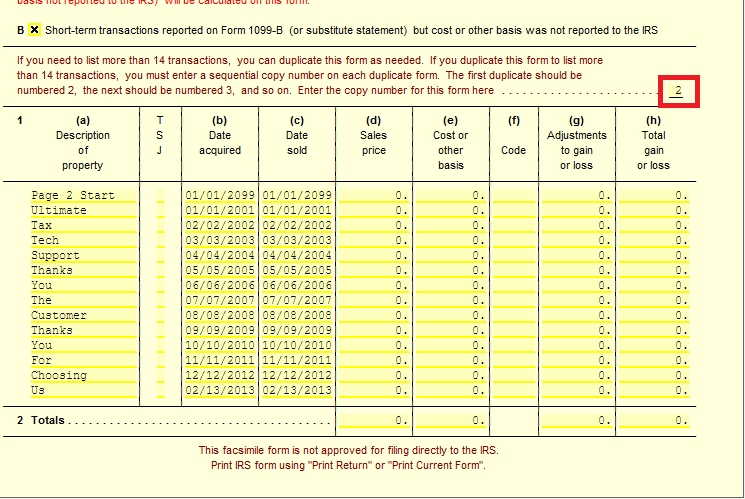
- Go to your newly copied page and change its number to 2.
You can continue this process (3, 4, 5, etc.) for as many pages as needed to list all short-term and long-term transactions.
📞 Still Need Help?
If you have a very large number of transactions or are using a summary statement, contact our support team:
Phone: 1-800-516-9442
Tags: install,federal,form